Getting started with Tamil Invoice
Tamil Invoice is built for Australian business owners who want to create invoices, send payment links, and keep a simple view of invoice activity from iPhone.
What you need
- An active Tamil Invoice account.
- Your business name and contact email.
- ABN, business address, and business phone if you want them shown on invoices.
- A business logo if you want branded invoice emails.
- Stripe Connect setup for secure payment links.
- An App Store subscription or trial entitlement for invoice platform access.
First-time setup
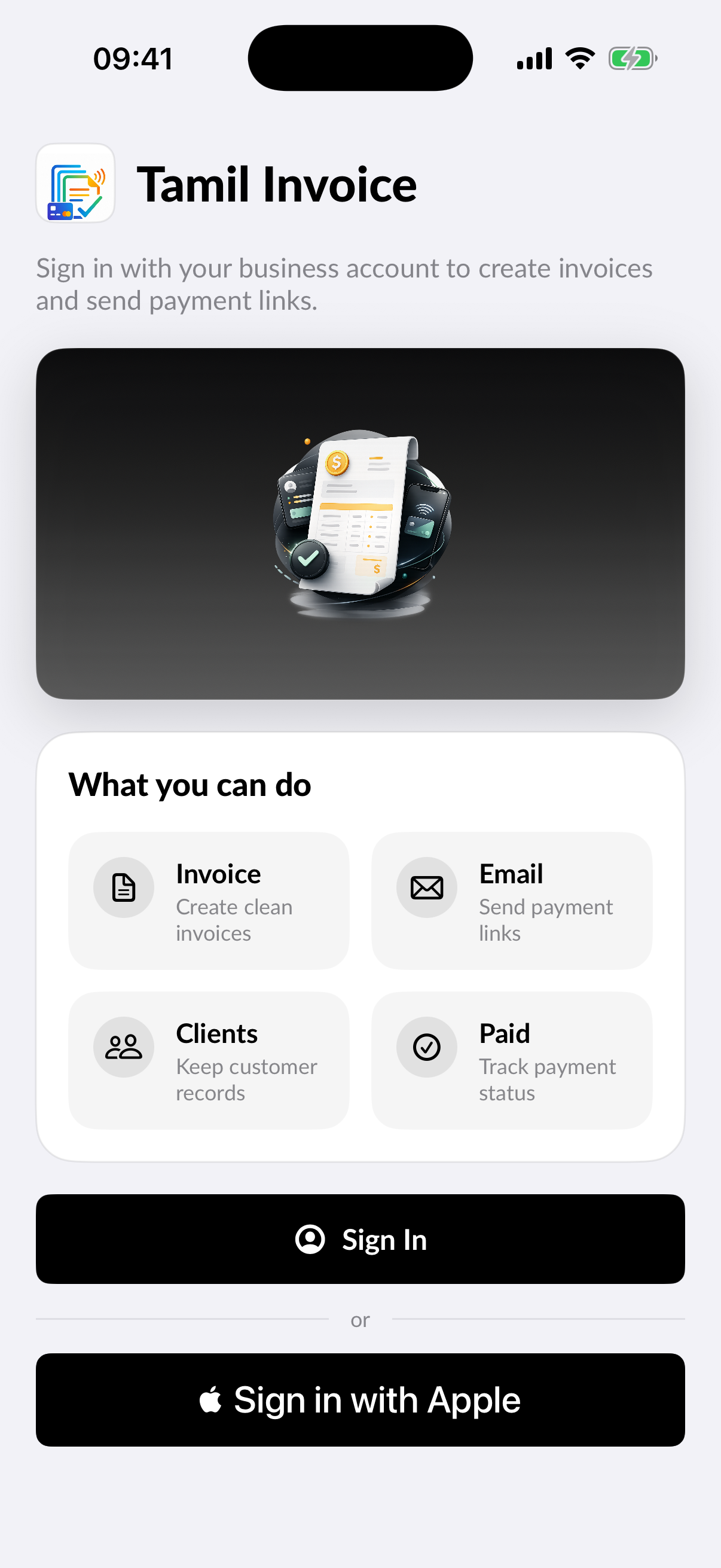
- Sign in or create an account in the Tamil Invoice app.
- Review the onboarding screens.
- Choose the free trial or select a subscription plan.
- Add your business profile.
- Connect Stripe when you are ready to collect payments.
- Create your first invoice and send it to a customer.
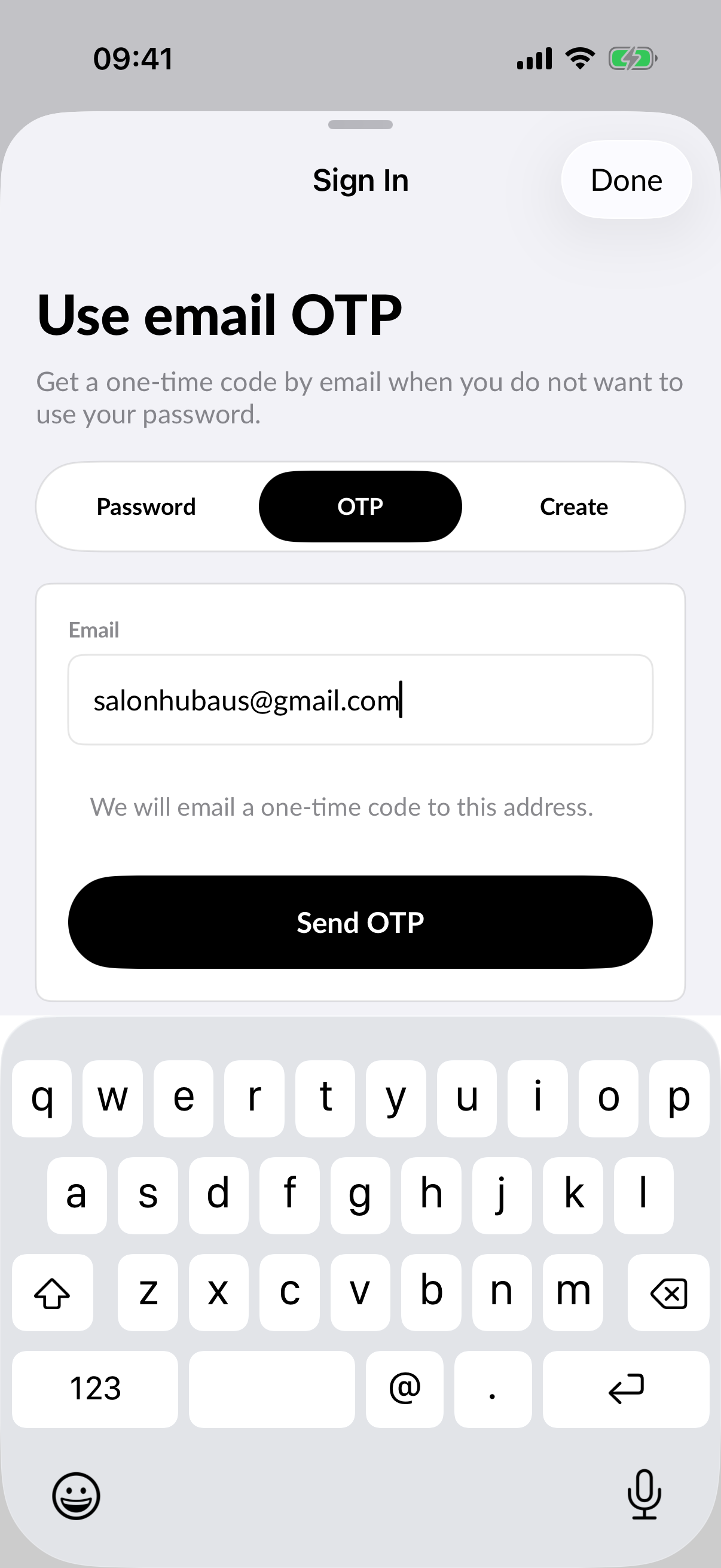
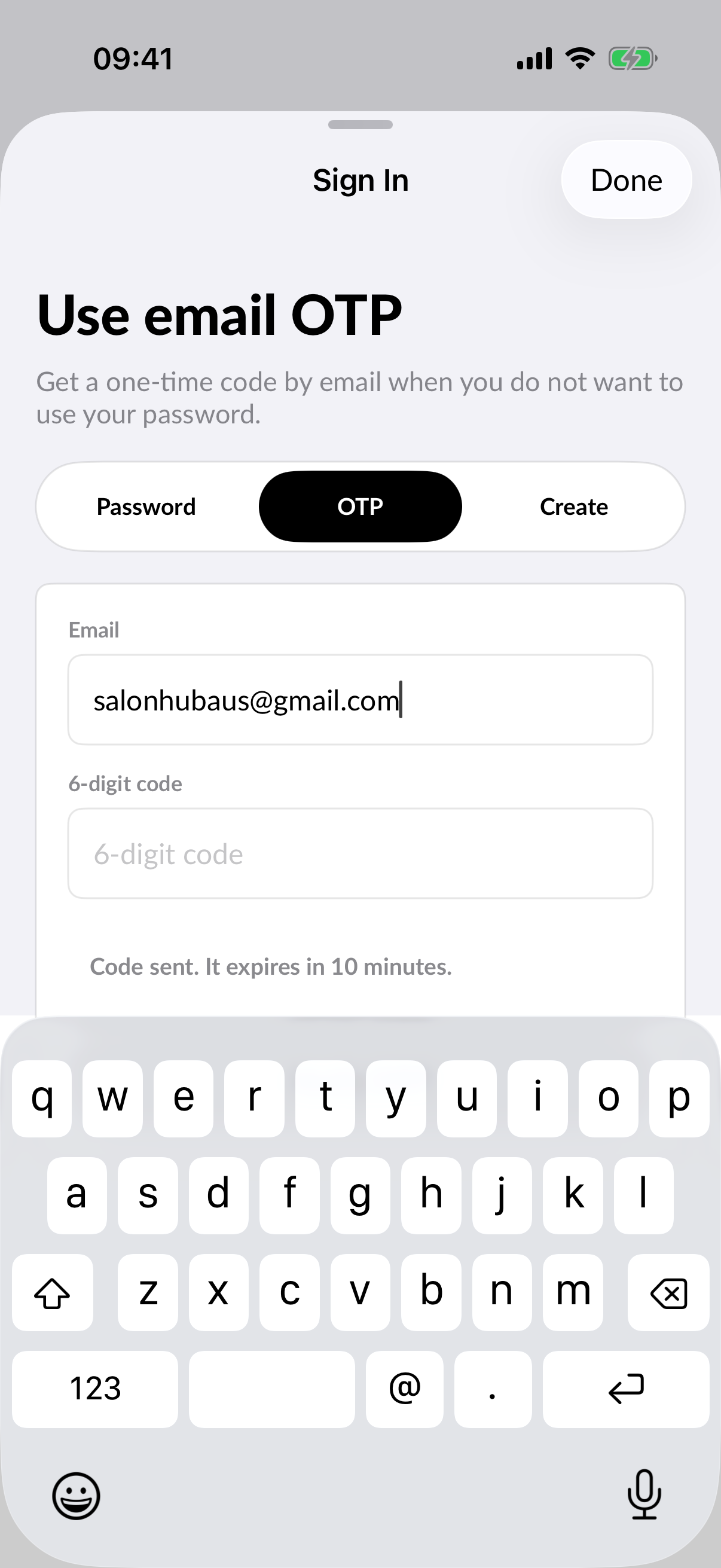
Sign in with OTP
Use the normal sign-in flow when you already have a Tamil Invoice account. If you prefer a one-time code, choose the OTP option, enter your email, then verify the code sent to your inbox.
Where to get help
Use the Help and Support section in My Account to open these guides or send a support request from the app. Support requests should include the account email, business name, invoice reference where relevant, and a clear description of the issue.