Contact support
Support requests are managed from the Tamil Invoice app and the Tamil Invoice admin command center.
Best way to contact support
- Open Tamil Invoice.
- Tap the account icon.
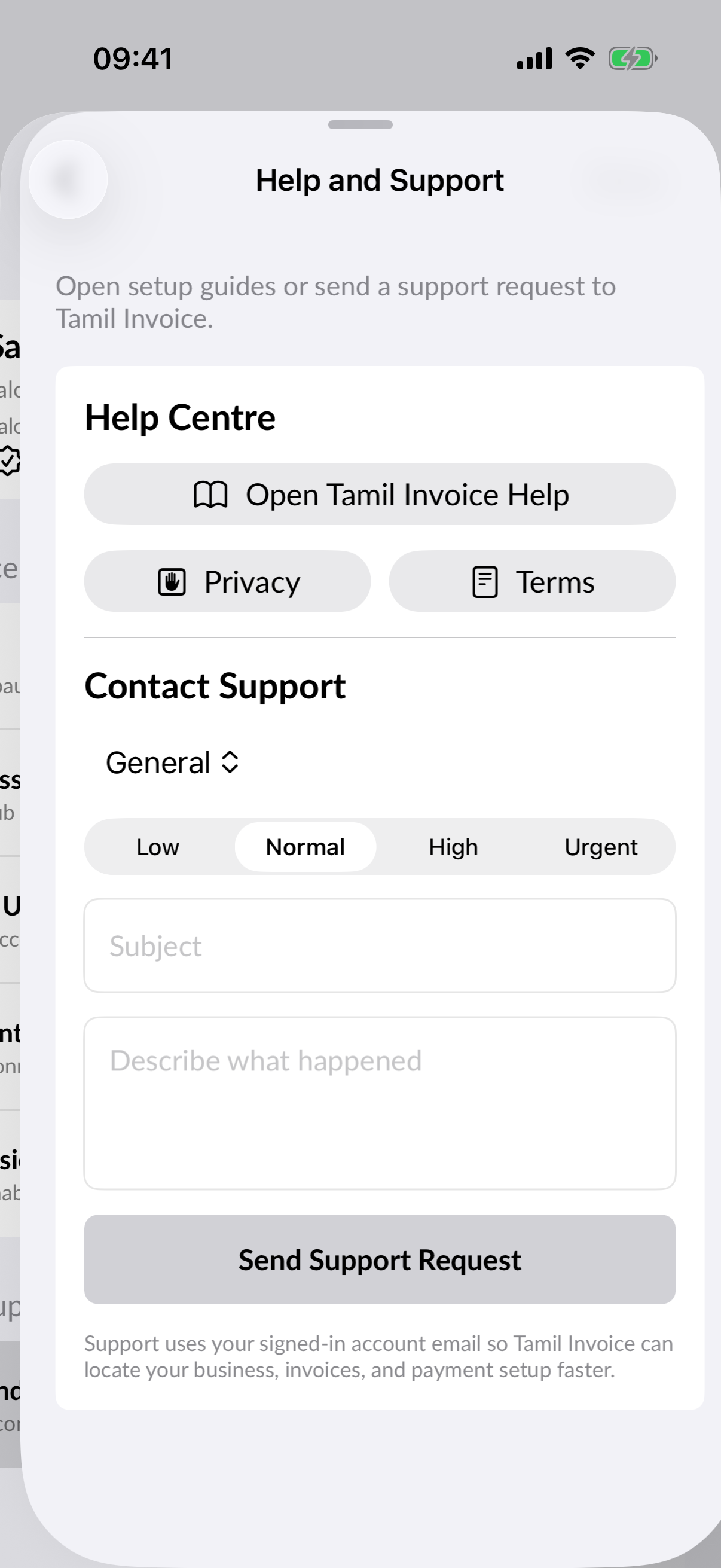
- Open Help and Support.
- Select Contact Support.
- Add the issue details and submit.
What to include
- Account email.
- Business name.
- Invoice reference if the issue relates to an invoice.
- Stripe Connect status if payment setup is involved.
- What you expected to happen.
- What actually happened.
Email support
You can also email tamilaustraliaevents@gmail.com.
Response handling
Support responses may be sent by email and may also be tracked in the Tamil Invoice admin command center.